Windows 8 Build 7992.0.fbl_dnt3_wireless.110427-2000
Windows 8 Build 7992.fbl_dnt3_wireless 是 Windows 8 的 Developer Preview/Milestone 3 前版本。其于 2024 年 10 月 26 日共享。
| Windows 8 的版本 | |
 | |
| 操作系统系列 | Windows NT 系列 |
|---|---|
| NT 版本 | Windows NT 6.2 |
| 内部版本号 | 7992 |
| 修订版本号 | 0 |
| 体系结构 | x64 |
| 内部版本实验室 | fbl_dnt3_wireless |
| 编译日期 | 2011 年 4 月 27 日 |
| 有效期 | |
| 时间炸弹 | 2012 年 3 月 15 日 (+323 天) |
| 关于对话框 | |
 | |
SKU 版本和密钥
| 版本 / SKU 名称 | 密钥 |
|---|---|
| Home Basic | YGFVB-QTFXQ-3H233-PTWTJ-YRYRV |
| Home Premium | RHPQ2-RMFJH-74XYM-BH4JX-XM76F |
| Professional | HYF8J-CVRMY-CM74G-RPHKF-PW487 |
| Ultimate | D4F6K-QK3RD-TMVMJ-BBMRX-3MBMV |
新增功能和更改
Redpill
- “开始”屏幕的磁贴现在采用渐变风格,而非平面风格。
- “开始”屏幕的第二个强调色集扩展为完整的 24 色套装。
Bug
winhv.sys 升级 Bug
在升级到此版本时,Windows 可能会遇到错误检查,错误代码为 SYSTEM_THREAD_EXCEPTION_NOT_HANDLED。这是由准备阶段后的 winhv.sys 引起的。要绕过此问题,请启动到安全模式,然后删除或重命名位于 C:\Windows\System32\Drivers 的此文件。
兼容性
在 VMware Workstation 上,建议将硬件兼容性设置为版本 8.x 或更低,否则:
- 如果硬件兼容性设置为 Workstation 9.x 或更高版本,启动时会发生 0x0000007E 错误检查。
- 在 VMware Workstation 15 或更高版本中,如果硬件兼容性设置为 Workstation 10.x 或更高版本,将会发生早期启动错误。
图库
-
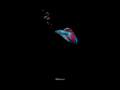
启动屏幕

Redpill 启用后
-
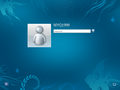
Metro 登录屏幕
-
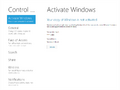
-
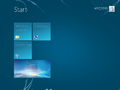
“开始”屏幕
-
“开始”屏幕替代颜色
-
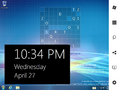
Charms 栏


