Windows 11 Build 21996.1.co release.210529-1541
Windows 11 Build 21996 是 Windows 11 的版本,于 2021 年 6 月 15 日由 PCBeta 成员秋衍联机共享。在此版本共享前,Microsoft 员工于 2021 年 6 月 1 日在 Github 上发布了包含此版本号的问题。[1]
| Windows 11 的版本 | |
 | |
| 操作系统系列 | Windows 11 |
|---|---|
| 内核版本 | 10.0 |
| 内部版本号 | 21996 |
| 修订版本号 | 1 |
| 体系结构 | AMD64 |
| 内部版本实验室 | co_release |
| 编译日期 | 2021 年 05 月 29 日 |
| 已知 SKU 版本 | |
| Home (N, Single Language) Pro (N, Single Language) Pro Education (N) Pro for Workstations (N) SE (N) Education (N) Enterprise (N, Multi-session) IoT Enterprise | |
| 产品密钥 | |
| Use a Windows 10 Retail serial | |
| 关于对话框 | |
  | |
System requirements
This build raises the system requirements to 4 GB of memory and a dual-core processor or better. This is also the earliest known build to enforce the TPM 2.0, Secure Boot, and UEFI requirements in accordance with the announced Windows 11 system requirements, although the build doesn't actually require either to work. The requirements can be bypassed by using dism.exe to directly apply the install image, or by disabling the checks altogether in the registry before running the setup:
[HKEY_LOCAL_MACHINE\SYSTEM\Setup\LabConfig]
"BypassRAMCheck"=dword:00000001
"BypassSecureBootCheck"=dword:00000001
"BypassTPMCheck"=dword:00000001
Alternatively, this build's install.wim can be used with an installer from a Windows 10 build, however, it may remove the ability to upgrade if an older build is used. Replacing the libraries responsible for the requirement checks, appraiserres.dll and appraiser.dll with a version from Windows 10 on the install media has also been found to work.
Changes
Out-of-box experience
Upgrades to a higher version of Windows are now automatically performed during the out-of-box experience if a newly-installed copy of Windows is connected to the Internet.
User interface
Task Manager
The Task Manager icon has been updated to align with the Fluent design guidelines. The experimental "Eco mode" power saving feature introduced as part of Cobalt build 21364 was removed, although it would be later reimplemented in Nickel build 22557 as "Efficiency Mode".
File Explorer
Visibility adjustments have been made to the Task View functionality, and the Meet Now taskbar flyout first introduced as part of Iron build 20221 has been removed. The leftover Toolbars menu that had no function was removed from the right-click context menus of various tray elements.
Bugs and quirks
General
- When updating folder options, the File Explorer window might flicker in the background.
- The Widgets pane's contents may fail to render on certain devices, the user can still interact with them.
- The Widgets pane may not load and instantly close upon trying to open it.
- Sometimes the Search Box shows a black box instead of the search results.
- Many areas still use the old Windows 10 branding, including the Setup and the boot menu.
Out-of-box experience (OOBE)
- When installing N editions, the OOBE will fail to load due to the absence of Windows Media Player components.
- The "Forgot your password?" link when setting up a Microsoft account or unchecking the option to receive promotional emails both lead to a blank screen.
Desktop Window Manager
- The taskbar may become fully transparent on some configurations when installing graphics drivers.
- Window frames appear squared with software rendering or during the close animation.
- On some UWP applications like Settings, a small white corner may appear on the close button whilst pressing and holding on the Close button.
- There are multiple glitches with application windows that use the DWM to expand the former glass frame into their client area, such as the Windows Mobility Center.
- When not maximized, only a shadow or window frame is shown, although the taskbar thumbnails are rendered correctly.
- When maximized, the window contents are shown correctly, however, the background may become fully transparent.
- Dropdown menus may fall back to square corners in some applications after being shown once with rounded ones.
- The animation that occurs when viewing two taskbar thumbnails next to each other does not render.
Gallery
Windows Setup
-
Welcome screen
-
Ditto.
-
EULA
-
Second stage of setup
Out-of-box experience (OOBE)
-
OOBE animation
-
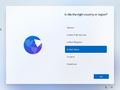
Country selection
-
Keyboard layout
-
Network connection
-
Network disconnection alert
-
Checking the connection to Microsoft
-
Checking for updates
-
License agreement
-
Set up
-
Login (Microsoft account)
-
Login (Work or school account)
-
PIN creation
-
Restore
-
User's name
-
Privacy settings
-
Privacy settings (alternative)
-
Experience customization
-
Microsoft 365 trial
-
OOBE installing updates
-
Post-OOBE

Interface
-
Boot screen (default)
-
Boot screen (10X animation)
-
Lock screen
-
Login screen
-
Dark mode
-
Search
-
Action Center
-
Task View
-
Widgets
-
Settings app
-
Settings app (dark mode)


